
ERP Workflow & Process Alignment
Align a single ERP workflow to match how your business actually runs.
Fix the ERP workflows that drive your operations — purchasing, inventory, costing, warehouse, accounting, pricing, and more.
Fixed‑price alignment.
One workflow.
One scope.
No hourly billing.
What This Solves
ERP workflows break when steps are out of order, users bypass the flow, data doesn’t move cleanly between stages, or the system no longer reflects how work actually happens.
When a workflow is misaligned, operations slow down, errors increase, and teams create manual workarounds that hide the real problem.
- Steps fire out of sequence — approvals, postings, or updates happen too early or too late.
- Users bypass the workflow — shortcuts, overrides, or direct table edits create inconsistent results.
- Data doesn’t move cleanly — quantities, costs, statuses, or balances fail to update across stages.
- Workflow logic no longer matches operations — the ERP reflects an old process, not current reality.
- Exceptions aren’t handled correctly — returns, adjustments, corrections, or reversals behave unpredictably.
- Dependencies break — upstream or downstream steps rely on data that isn’t structured correctly.
- Manual workarounds appear — spreadsheets, side systems, or tribal knowledge replace the ERP flow.
Every ERP workflow follows the same underlying business system principles.
If yours is misaligned, we can correct it.
Representative Workflows
A workflow is the operational sequence your team actually performs — from the moment the work is triggered to the moment it is completed. It is not the entire module or domain. It is the specific path work follows through the ERP.
Below are examples of distinct workflows inside common operational domains.
Purchasing Workflows
Purchase Part Enablement
Starts at: Master Part → Engineering Part → Inventory Part → Purchase Part → Supplier for Purchase Part
Ends when: The part and supplier are fully enabled and purchasing can begin.
Purchase Order Execution
Starts at: Demand trigger or requisition
Ends at: Receipt, putaway, invoice match, and PO closure.
Purchasing Exceptions
Starts at: Receipt discrepancy, damaged goods, wrong part, over/under delivery
Ends at: Inventory correction, cost correction, supplier credit, and clean PO closure.
Inventory Workflows
Inventory Movement
Starts at: Movement request
Ends at: Inventory updated and balanced.
Inventory Adjustment
Starts at: Count variance or operational correction
Ends at: Adjusted quantity, cost, and audit trail.
Inventory Reconciliation
Starts at: Cycle count or full count
Ends at: Variances resolved and inventory stabilized.
Other Representative Workflows
Receiving
Starts at: Delivery arrival
Ends at: Receipt, putaway, and inventory update.
RMA / Returns
Starts at: Return request
Ends at: Receipt, credit, re-receipt, or disposal.
Costing Updates
Starts at: Cost trigger
Ends at: Updated cost rollups and validated inventory value.
Every ERP workflow follows the same underlying business system principles — if yours is misaligned, we can correct it.
What CIS Does
We realign a single ERP workflow so it follows the correct operational sequence, updates cleanly between stages, and behaves predictably for every user involved.
The goal is simple: remove inconsistencies, eliminate workarounds, and restore a clean, reliable flow that matches how your business actually runs.
- Map the current workflow behavior — identify where steps fire early, late, or not at all.
- Correct the operational sequence — ensure each stage triggers the next cleanly and consistently.
- Fix broken dependencies — upstream and downstream steps update correctly every time.
- Eliminate bypass paths — remove shortcuts, overrides, and side‑routes that break the flow.
- Align workflow logic to real operations — the ERP reflects how work actually happens today.
- Stabilize exceptions — returns, adjustments, reversals, and corrections behave predictably.
- Remove manual workarounds — spreadsheets, side systems, and tribal knowledge disappear.
Every ERP workflow follows the same underlying business system principles — if yours is misaligned, we can correct it.
How It Works
Step 1 — Workflow Review

We examine how the workflow currently behaves — where steps fire early or late, where data fails to update, and where users bypass the intended flow.
Step 2 — Alignment Plan
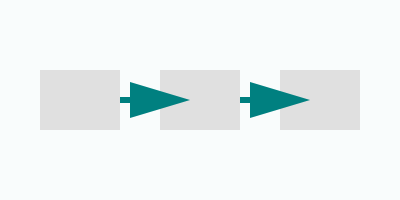
We define the correct operational sequence, fix broken dependencies, remove bypass paths, and align the workflow logic to how work actually happens.
Step 3 — Implementation & Validation

We apply the corrections, validate each stage, stabilize exceptions, and ensure the workflow runs cleanly and predictably for every user involved.
A clean workflow is the foundation of stable operations — once aligned, everything downstream behaves the way it should.
What You Get
A fully aligned workflow that behaves predictably, updates cleanly, and matches how your operations actually run.
No workarounds. No inconsistencies. No surprises.
- Correct operational sequence — each step fires in the right order, every time.
- Clean data movement — quantities, costs, statuses, and balances update reliably across all stages.
- Stable exception handling — returns, adjustments, reversals, and corrections behave consistently.
- Eliminated bypass paths — shortcuts, overrides, and side‑routes are removed.
- Aligned workflow logic — the ERP reflects how your team actually performs the work today.
- Validated end‑to‑end behavior — every stage tested, confirmed, and stabilized.
- Documentation of the aligned workflow — clear, operational notes on how the corrected flow works.
A workflow that runs cleanly becomes a foundation your operations can trust.
Pricing
ERP Workflow & Process Alignment is a fixed‑scope, fixed‑price engagement for one workflow.
No hourly billing. No surprises.
$5,200 — One workflow aligned end‑to‑end
Includes:
- Workflow review
- Alignment plan
- Implementation
- Validation
- Documentation
A clean, predictable workflow — delivered at a predictable price.
Ready to Align Your Workflow?
If your workflow isn’t behaving the way your operations require, we can correct it.